Your friend asked if Ottocast is legit
A friend texted me that question on a Sunday. Short version: yes, ottocast.com is a real store, not a marketplace ghost with a stolen logo.
I rechecked the live shop on 27 September 2026. Ottocast still makes small boxes you plug into a factory dash so the phone can talk to the screen without a cord. Their own about copy starts in 2009 with Cartizan in Hong Kong, then jumps to wireless CarPlay and Android Auto gear around 2019. Fine. That only tells me the domain isn't a weekend clone. It doesn't tell me your head unit will accept the stick. The only useful check is this: does a USB data port already start wired Apple CarPlay or wired Android Auto when you plug the phone in? If yes, Ottocast can sit in that hole and finish the session over Bluetooth and Wi-Fi. If the hole is charge-only, you're buying a paperweight. Firmware will not grow a radio the car never shipped.
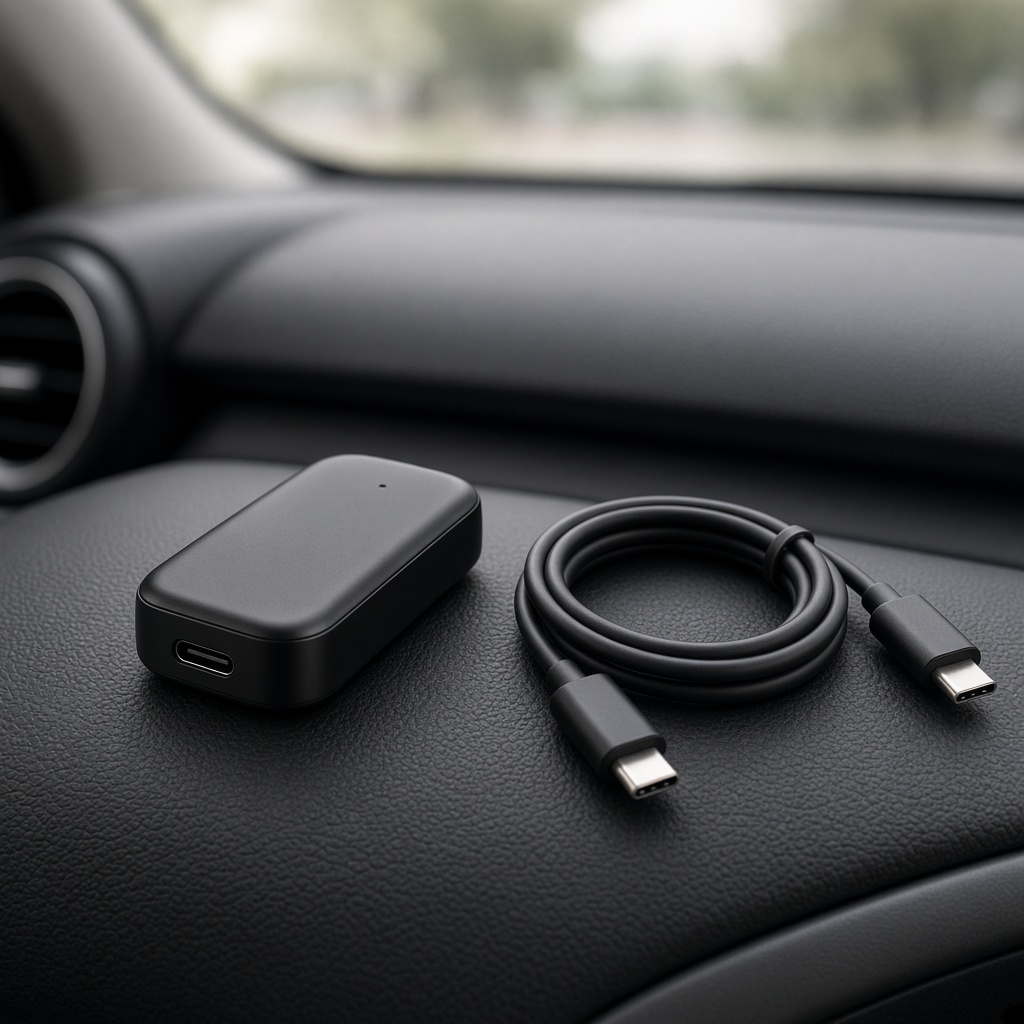
I keep a cheap phone cable in the door pocket the way some people keep a ten for a car wash. That's the tangent, and it isn't cute decoration. You'll need that cable for the test, and you'll want it again the week a dealer update ghosts the dongle. I'm not going to pretend wireless is a personality upgrade. It's a cord you stop seeing on the console.
The cable in the door pocket is the whole review
Ignition on. Factory screen awake. Use the socket the handbook labels for phone data — not the rear-seat charger, not the lighter-socket brick. An iPhone or a supported Android phone goes in that socket. When CarPlay or Android Auto actually paints on the dash, a wireless stick has somewhere to attach. When the screen stays on the radio menu, close the shop tab. You're not one download away from a feature the head unit never learned.
Brochures lie by trim. One 2018 Audi line can have a cable path on the expensive package and wireless-only CarPlay on the next one down. Some Korean cars hide a wired-CarPlay toggle in a submenu; until you flip it, no stick will lock. Jaguar's own notes still tell people to tap the factory CarPlay tile after the plug goes in. Put those details in the order comments. Don't wait until support@ottocast.com is quoting a twenty percent processing fee. If the cable test fails, skip the shop. If the port never wakes CarPlay, Ottocast is not the missing piece. Same point, said twice, because that's the whole buy.
After hours, the official site still points you at that thirty-second self-test before it points you at a cart. I would do it in the driveway. Bring the phone you actually drive with. A work handset that never leaves a bag will not prove the port. If CarPlay appears on one socket and not another, write down which one.
Two products. I'm not listing the rest.
I'm not walking the whole catalogue. The site piles compact sticks next to Android computers, HDMI extras, and extra displays for cars that never left the factory with CarPlay. Naming every board turns this into a spec sheet, and the spec sheet isn't what fails in a cup holder. Two products cover the decision.
The Mini is the boring one, which is a compliment. Thumb-drive size. You seat it in the data USB port, pair once, and the phone can live in a bag. US sale tags I saw sat near fifty dollars, give or take a few. In the carton: the stick, a USB-A-to-C adapter, a thin manual. No Android desktop. No app store living in the dash. Out of range, it's a dead key. Buy this if the only complaint is a cord on the console.
OttoAibox is a different object. Same wired factory path, then a small Android computer that paints its own desktop on the OEM glass. Promotional tags I saw sat around two hundred dollars. A second operating system means you now own heat, firmware, and a data plan. I only look at this box when a rider wants Android apps on the factory display while parked. Split-screen streaming layouts were unpublished as a supported setup on the page I opened, and I won't invent a workaround. Think of Ottocast as a bilingual waiter standing between your phone and the dash. The kitchen is still the car's. If the kitchen never learned CarPlay, the waiter has nothing to translate.
Who should pay, and who should leave the cord alone
Buy here if the car is roughly 2016 or newer, the screen is a touchscreen, and you've already watched wired CarPlay or Android Auto come up on a real cable. Tired of that cable is the whole brief. A house that swaps an iPhone and an Android phone in the same week is also the audience, if one stick can flip protocols. OttoAibox is for people who want apps on the OEM glass during a parked wait and will actually own the heat and the data bill. If that already sounds like more homework than a cord, stay wired. Honestly, stay wired.
- Skip if the factory USB test never launches CarPlay or Android Auto
- Skip if the car is wireless-only and has no wired USB path — Ottocast sells a different box for some of those cars, but the Mini will not attach
- Skip if you run a Sony aftermarket deck; several adapter pages list those stereos as incompatible
- Skip a Mitsubishi until you leave a checkout note or email support
- Skip OttoAibox if you will not maintain firmware or hide the box where it can vent
- Stay wired if the commute is short, factory wireless already works, or a lease would rather you not leave aftermarket hardware powered in the dash
Cars with no factory CarPlay at all are a different job. Ottocast will try to sell those drivers a plug-in display. That's a weekend with trim tools, not a five-minute USB stick, and I'm not reviewing a dash teardown here. If you wanted a dongle and they're offering a screen, you asked the wrong question at the start.
Confirm wired CarPlay or Android Auto on a real phone cable, then look at the current Mini or OttoAibox on the official shop instead of a marketplace title.
Run the cable test, then open Ottocast →Wireless here is a costume, not a new radio
Nobody at Ottocast invented wireless CarPlay. The stick dresses up as a wired phone on USB, then uses Bluetooth for the handshake and Wi-Fi for the heavy session. After that first pairing, the Mini is supposed to come back when the ignition wakes, with no extra phone app. Two phones on file? Last one used usually keeps the seat. To switch, kill Bluetooth or Wi-Fi on the active handset.
Maps usually keep up on a commute. Heat in a closed cubby is the failure people ignore. Park an Android computer in a sealed console and OttoAibox starts throttling. Stay on a cable if you need the picture to fill the glass. Ottocast's own notes say full-screen follows whatever the factory wired layout already did, so a letterboxed OEM session stays letterboxed. And that's the part the listing photos never show.
On a cold morning the first reconnect can take longer than the brochure implies. Wait. Before you assume the unit died, turn the phone's Bluetooth off and on, then try the known-good cable again. If the cable still wakes CarPlay and the stick does not, you have an adapter problem. If the cable also fails, you have a car problem, and a return ticket will not fix a dealer software update.
How the cart, the parcel, and the twenty percent work
Pay on ottocast.com. A marketplace tile with the same photo is a different till, and that till does not owe you Suwanee. Stickers move, so I'm dating this: on 27 September 2026 the US shipping notes I could still read put standard postage at five dollars and ninety-nine cents. The cheap lane still talked about ten to fifteen days, and the FAQ used business days for the same band. A faster option sat near ten dollars. DHL or FedEx express sat near forty dollars and aimed at five to ten days. The cart wins if it disagrees with me. Tracking can sit still for a few days when the parcel changes hands.
If nothing has left the warehouse, you can cancel inside twenty-four hours. After twelve hours and before it ships, they can take a fifteen-dollar handling fee. Want it back? Email support@ottocast.com inside thirty days of delivery and wait for a ticket. Changed your mind, ordered the wrong stick, or guessed a trim the car doesn't have — that's a customer-reason return: twenty percent processing, you pay the freight home, outbound postage stays with them. The US desk they publish is 398 Satellite Blvd NW, Suwanee, Georgia 30024. Boxes that show up without a ticket get refused. If you think the unit is defective, film the dash staying dark while a cable you already trust still wakes CarPlay. Don't drop the stick at a locker and hope someone matches it to an email.
- Standard shipping: about six dollars, often ten to fifteen days, sometimes quoted as ten to fifteen business days
- Priority: about ten dollars if the cart still offers it
- Express courier: about forty dollars, with a five-to-ten-day aim
- Cancel before ship-out: free inside twenty-four hours if nothing has moved; a fifteen-dollar handling fee can apply after twelve hours
- Customer-reason return: twenty percent processing, you pay freight back, outbound postage stays with them
- Warranty: one year from delivery for manufacturing defects in normal use, not for drops, water, unsupported cars, or OS updates
I buy Ottocast as a translator, not as a second car computer. Failed cable test, no Mini. Cable test passes and I just hate the cord, current Mini. OttoAibox only when somebody riding along actually wants Android apps on that factory glass.
— Priya Nair
Firmware will lag the car. Plan for that.
Both the Mini and OttoAibox lines advertise over-the-air firmware, which is a polite way of saying you shouldn't need a Windows flashing tool for a bug fix. You will need those fixes. Apple, Google, and the car makers keep changing how USB devices introduce themselves. A stick that was fine on last month's iPhone build can sit there blinking after an OS jump until Ottocast ships a matching file. The support hub splits downloads by board. Use the file named for the unit you hold. Grabbing a neighbor's package is how a Saturday turns into a brick.
From delivery you get a one-year limited warranty on manufacturing defects in normal use. Drops, water, unsupported cars, and anything they can pin on a phone update or a dealer flash sit outside that. Keep the USB cable that first proved wired CarPlay, so you can tell a dead stick from a dead port. I already mentioned the door-pocket cable. I'm mentioning it again because the warranty desk will ask which one failed first.
Plug it in without opening the dash
A Mini install is three verbs: plug, wait, pair. Seat the stick in the data USB port. Let the factory prompt come up. Accept Bluetooth, then join the Wi-Fi network the adapter spins up. Leave the phone unlocked for that first handshake. A cheap charge-only extension between the stick and the car will waste an evening. Some OttoAibox units have a hardware protocol switch: CarPlay side for a CarPlay-only car, Android Auto side for an Android Auto-only car, CarPlay first if both exist. Then the box still needs a network — phone hotspot, car Wi-Fi, or a SIM with the right APN. Give it air. Cooked plastic is not a generous warranty story.
Limitations I would not bury in a footnote
Ottocast cannot invent CarPlay in a car that never had it. A wireless-only luxury stack will not take the Mini; they point those drivers at a different box instead of pretending the USB stick will lock. Sony aftermarket decks were a hard skip on the pages I opened. Aftermarket radios that fake CarPlay sit outside what the official checker will sign. Full-screen is not a gift if the factory wired session was already letterboxed. Video while the car is moving is a legal and attention problem on most roads I use; parked, passenger-seat media is the only honest OttoAibox use I will write down. Who qualifies for every regional listing, and Monday's sale sticker, was unpublished beyond what the cart printed. I won't invent a model table.
You also still need a way to charge the phone. The cable you just eliminated was doing two jobs. A vent mount with a separate charger is boring and correct.
FAQ: questions people ask after checkout is already open
Does Ottocast work if the car already has wireless CarPlay?
Usually no. The Mini wants a wired factory handshake, and so does the USB OttoAibox path. Wireless-only cars get pointed at a different box for extra video, not a promise that the Mini will attach. Sibling trims can disagree: one has a cable, the next is wireless-only. Plug the phone in. If CarPlay never paints on a USB cable, don't order a translator and hope. Already have both wired and wireless from the factory? A Mini can still be extra hardware. The factory wireless stack is often cleaner, and dropping a third-party radio into that path can make reconnects worse.
Will it pair with a Sony aftermarket stereo or a Mitsubishi?
Sony aftermarket decks are written up as incompatible on the Mini and OttoAibox pages I opened. That's a no, not a firmware maybe. Mitsubishi is a yellow light: leave a checkout note or mail support so the warehouse knows the car before they pack. If the stereo isn't the original OEM unit, price in a month of return risk and that twenty percent processing cut as part of the experiment. Don't recycle the carton until you've done a cold start the next day, when the stick is supposed to come back with no app open.
How long does shipping take, and where do I send a return?
Budget ten to fifteen business days on the cheap lane, less if you pay express, and believe the checkout clock over this paragraph. You can't walk a return into a shop. Write support@ottocast.com, wait for a ticket, then send the unit with tracking to the Suwanee, Georgia address in the refund policy. Customer-reason returns still cost freight plus twenty percent. I already printed the street above. Use it only after they say go.
Does OttoAibox need its own internet?
It needs a path to the internet. That path does not have to be a plastic SIM. The listings I opened mentioned tethering the phone, using the car's Wi-Fi, a travel hotspot, or a SIM with the right APN. Airplane mode means maps and stores stay empty. Streaming will chew a phone hotspot, which is why the box offers its own data option. A starter top-up I saw described as about one dollar for ten gigabytes is a sip, not a road-trip plan. The Mini doesn't buy its own internet; it rides the phone the same way a cable session does. Don't preload data credit until the box has finished its first wired handshake in the car you will drive.
Why did only one USB port wake the screen?
Use the socket the handbook marks for Apple CarPlay or Android Auto. Back-seat charge cubes and lighter-socket USB bricks almost never carry data. A USB-C hole that only charges will not enumerate CarPlay, Mini or OttoAibox, doesn't matter. Plenty of cars tuck the data socket under the armrest and leave a charge-only hole in the dash where your hand wants to go. If CarPlay appears on one hole and not the other, order for the hole that worked. If nothing on the console wakes CarPlay, skip the Mini.
Can I cancel after I pay, or is a trim mismatch on me?
If it hasn't shipped, cancel inside twenty-four hours. After twelve hours, budget the fifteen-dollar handling fee. If the box arrives and the trim is the one you guessed past, that's a customer-reason return: twenty percent, your freight, no outbound refund. Price that risk in if the compatibility checker hedges on your year. The thirty-day window is not a free test drive. On 27 September 2026 I couldn't find a published exception that waived the fee because a forum thread liked your car.
Compare the live Mini and OttoAibox pages on ottocast.com, then order only after a successful wired cable test in the actual car.
Open the current Ottocast shop →Leave the cable where you can reach it
If the factory USB test already works and you just want the phone off the console, Ottocast is a reasonable translator. Current Mini if that's the whole brief. OttoAibox only if people in the back seat want Android apps on the OEM glass and you'll own firmware, heat, and a data plan. Sale tags move. The twenty percent convenience return is real. Wireless convenience is the product. Immunity from the next car-software update is not.